
Body & channel map
Python 3.8+ · Teslasuit v4.5+ (XR5 recommended) · SDK 2.5.1+
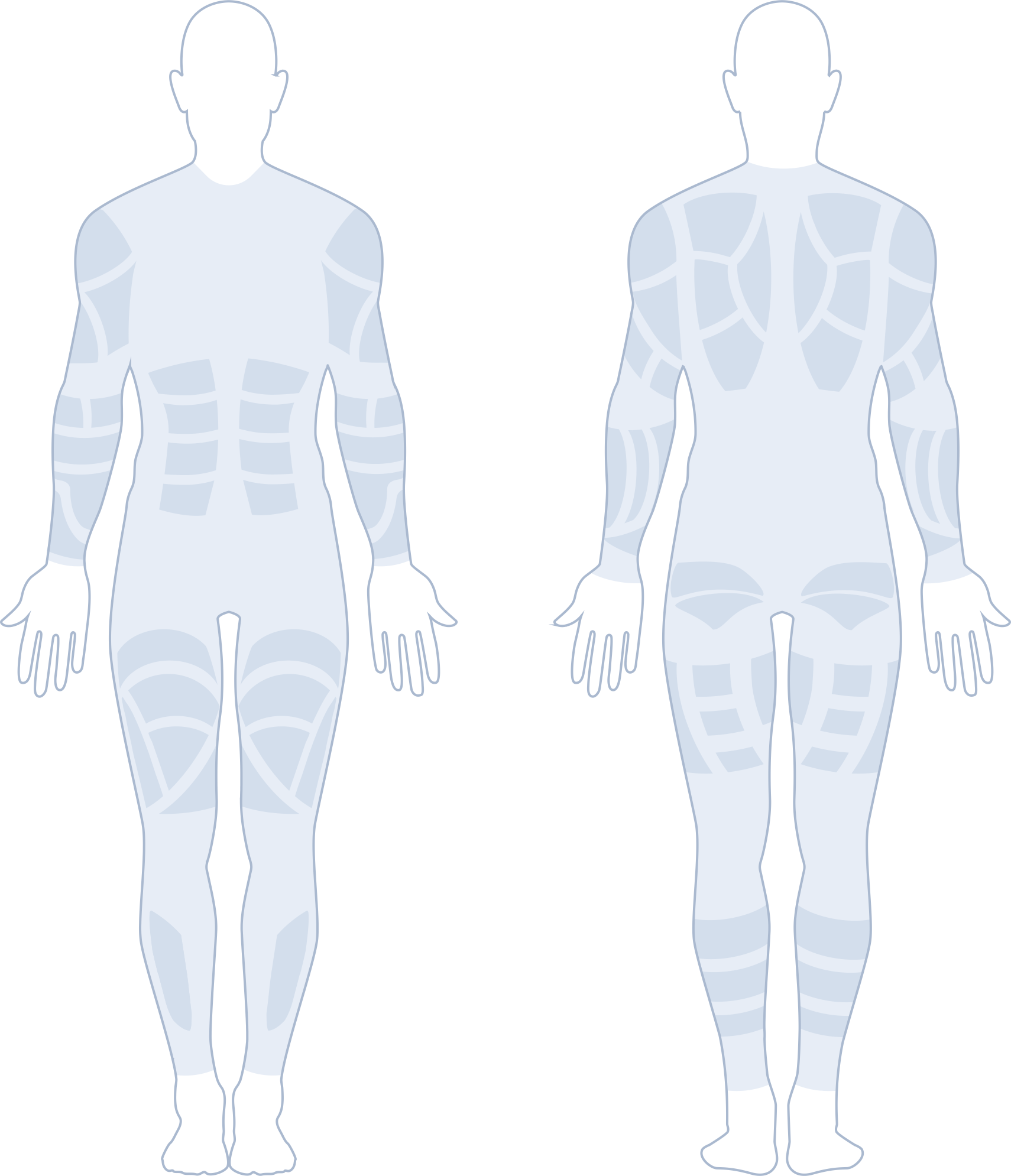
Right upper arm
frontchannel 1On TsBone2dIndex.RightUpperArm — get_bone_contents() returns this bone's channels; the snippet plays just this one.
# Right upper arm · channel 1 (front)  →  TsBone2dIndex.RightUpperArm
channels = mapper.get_bone_contents(bones[TsBone2dIndex.RightUpperArm.value])  # 7 channels on this bone
channel = channels[0]  # the selected channel
params = player.create_touch_parameters(10000, amplitude=40, pulse_width=120)  # period in µs (10000 = 100 Hz) · amplitude is a percent (1–100)
playable_id = player.create_touch(params, [channel], duration=3000)  # play this one channel for 3000 ms
player.play_playable(playable_id)
The Teslasuit addresses the body by anatomical bone, not raw channel numbers. The map above is the real suit_4_5_4 haptic mapping, unwrapped onto one canvas — the left half is the front of the body, the right half is the back, with all 80 Electrical Muscle Stimulation (EMS) channels in place. Click any channel to see the TsBone2dIndex zone it resolves to and the exact create_touch() call to drive it. Switch the map to the EMS layer to address the body by muscle group instead — the 20 fes_framework muscle groups (quadriceps, hamstring, biceps, …). Each lights only the channels it actually fires (the rest of the zone stays idle) and shows the raw create_touch() reference code that stimulates them.
How it works#
- Choose a bone with
TsBone2dIndex(e.g.RightUpperArm). - Ask the mapper for the channels on that bone via
get_bone_contents(). - Build touch parameters and play a touch on those channels.
Safety. Make sure the device is connected and calibrated before running. Start with conservative touch settings (low amplitude, short duration), check electrode placement, and stop if anything feels wrong.
For the complete, runnable version of this walkthrough, see Play a haptic touch. The full reference for each call in the Python API is documented on the Haptic subsystem page.
What to read next#
Use these resources to go from the channel map to driving the suit in code:
Essential API references#
- Haptic Subsystem API Reference: The
TsHapticPlayerclass —create_touch_parameters,create_touch, and playback control. - API: Core Mapper: How
get_bone_contents()resolves aTsBone2dIndexbone to physical channels. - API: TsBone2dIndex Enum: Every anatomical bone you can target, across suit types.
Deeper dives & broader concepts#
- Haptics & EMS Concept: Why effects are addressed by bone, and the difference between haptic and EMS stimulation across the channels shown here.
- Mocap Concept: How the Mocap and Skeleton tabs on this map relate to the IMU sensors, skeleton poses, and biomechanical angles the suit streams.
- Teslasuit Main Concepts: Overview of all XR5 subsystems and how they relate to each other.
Practical guides & examples#
- Play a haptic touch: A runnable script that targets a bone and plays a touch on its channels.